



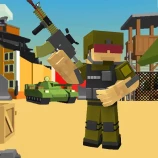





Best Battle Pixel Royale Multiplayer is a third-person online shooter featuring blocky characters, competitive battles, and optional zombie enemies. Choose your character and weapon, join an available room or create your own match, and enter the pixel battlefield against other players. Depending on the selected match settings, you can fight in a royale-style battle or work with a team against the opposing side.
How to Play Best Battle Pixel Royale Multiplayer
Start by entering a player name and selecting a server region. You can then join an existing room or create a new match with your preferred settings. Before entering the battlefield, choose the character and weapon you want to use.
Once the match begins, move through the map while watching for enemy players. Use the mouse to control the camera, aim, and fire. Keep moving during battles, use nearby structures for cover, and change weapons when the situation calls for a different approach.
Join or Create a Multiplayer Match
You do not have to wait for a specific campaign or level to begin playing. Open the multiplayer menu and either enter an available room or create one for other players to join.
When creating a room, review the available match options before starting. Some matches focus on player-versus-player combat, while others may include teams or zombies on the map. The exact experience can therefore change according to the room settings selected by its creator.
Royale and Team Battles
Best Battle Pixel Royale Multiplayer offers more than one way to compete. In a royale-style match, players fight against one another instead of being divided into fixed teams. Team-based matches divide players into opposing sides, making positioning and cooperation more important.
During a team match, avoid becoming separated from every teammate. Staying close enough to support one another can make it harder for opponents to win isolated encounters. At the same time, do not remain in one exposed group where the opposing team can easily target everyone.
Characters, Weapons, and Zombies
The game menu lets you select a character and choose from the available weapons before entering a match. Try different choices to find an option that suits the way you prefer to play.
Zombies can also be added to certain matches. When enabled, they create an additional threat alongside the opposing players. Pay attention to your surroundings because concentrating on another player may leave you open to a nearby zombie attack.
Controls
- WASD: Move your character
- Mouse: Look around and control your aim
- Left Mouse Button: Fire
- Right Mouse Button: Aim
- Shift: Run
- Ctrl: Crouch
- Mouse Wheel: Change weapons
- Enter: Open the chat or send a message
Device note: The game uses a keyboard, mouse buttons, and the mouse wheel, so it is designed primarily for desktop and laptop browsers.
Game Features
- Online third-person pixel shooting gameplay
- Royale-style and team-versus-team matches
- Multiplayer rooms that you can join or create
- Selectable characters and weapons
- Optional zombie enemies in selected matches
- Running, crouching, aiming, and weapon switching
- In-game text chat
Tips for New Players
- Keep moving during firefights instead of remaining in one exposed position.
- Use walls and other parts of the environment to reduce the angles from which opponents can attack.
- Aim before firing when you have enough time to line up a more accurate shot.
- Use running to cross open areas, but slow down when checking corners or searching for opponents.
- Change weapons when your current choice is not suitable for the distance of the encounter.
- In team matches, stay close enough to assist teammates without standing directly beside them.
- When zombies are enabled, watch for enemy players and zombie attacks at the same time.
- Check the room settings before joining so you know which type of match you are entering.
Why Play on Eyzi.net?
Eyzi.net lets you launch Best Battle Pixel Royale Multiplayer directly in your browser without installing the game. You can also add games to your favorites with an Eyzi.net account and discover more titles through the shooter games category. Device notices help you identify games that are better suited to desktop controls before you begin playing.
Frequently Asked Questions
Is Best Battle Pixel Royale Multiplayer an online game?
Yes. It is an online multiplayer shooter in which you can join rooms containing other players or create a room of your own.
Is the game played from a first-person perspective?
No. Best Battle Pixel Royale Multiplayer uses a third-person camera that lets you see your pixel character while moving and fighting.
Can I create my own match?
Yes. The multiplayer menu allows you to join an existing room or create a match using the available room settings.
Does the game have team battles?
Yes. Team-versus-team matches are available alongside royale-style player battles.
Are zombies always present?
No. Zombies only appear in matches where they are enabled, so they are not part of every battle.
How do I change weapons?
Use the mouse wheel to switch between the weapons available to your character.
Can I play Best Battle Pixel Royale Multiplayer on a phone?
The game relies on keyboard keys, mouse buttons, and the mouse wheel. It is therefore designed primarily for desktop and laptop browsers rather than touchscreen play.
Do I need to download the game?
No. You can launch and play the game directly in a supported web browser on Eyzi.net.