













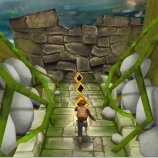


Save Mushrooms Garden is a 3D action-adventure game in which you help Johnny recover his stolen mushrooms. A group of troublemakers has taken the mushrooms from his garden and scattered them across different villages. Johnny sets out to find them, but enemies are ready to stand in his way.
Move through each area, search the surroundings, collect the missing mushrooms, and defend yourself against enemies. You will need to combine careful movement, precise jumps, and well-timed attacks to make progress. Complete Johnny’s mission by recovering the mushrooms without letting the enemies stop you.
How to Play Save Mushrooms Garden
Your main objective is to collect the mushrooms placed throughout each area. Explore carefully because some mushrooms may require you to move around obstacles or pass close to enemies.
Hostile characters appear throughout the area and can attack when Johnny gets within range. Keep moving, watch their positions, and fire before they can block your route. Avoid rushing directly into a group of enemies, especially when there is limited space to move.
Once you have collected the required mushrooms and completed the current objective, you can continue to the next part of Johnny’s journey.
Controls
- W, A, S, and D: Move Johnny
- Spacebar: Jump
- Alt: Fire
The controls are simple, but good timing is important. Practice moving and jumping while preparing to fire so that you can react quickly when an enemy appears.
Game Features
- 3D action-adventure gameplay with shooting mechanics
- A mission centered on recovering stolen mushrooms
- Different village environments to search
- Enemies that try to prevent Johnny from advancing
- Mushroom-collecting objectives
- Simple keyboard controls
- Areas that combine exploration, jumping, and combat
- Quick gameplay that is easy to learn
Tips for Recovering the Mushrooms
Check the Area Before Moving Forward
Look ahead before jumping into a new section or entering an open area. Spotting enemies early gives you more time to prepare an attack.
Avoid Standing Too Close to Enemies
Do not wait until an enemy reaches Johnny. Fire as soon as you have a clear opportunity, then move away if the enemy continues to approach.
Collect Nearby Mushrooms First
Clear one part of the area before moving farther ahead. This makes it less likely that you will overlook a mushroom and have to search the entire location again.
Keep Moving During Combat
Standing still makes Johnny an easier target. Move backward or change position while firing whenever the layout gives you enough room.
Time Your Jumps Carefully
Use controlled jumps instead of holding the movement keys without checking the landing area. A poorly timed jump can place Johnny directly beside an enemy.
Learn the Enemy Positions
When restarting a difficult stage, remember where enemies appeared. Knowing their locations can help you approach the same section with a better plan.
Why Play Save Mushrooms Garden on Eyzi.net?
Eyzi.net lets you launch Save Mushrooms Garden directly in your browser without installing a separate game. You can enter the action, learn the keyboard controls, and help Johnny begin his search within moments.
The game is a good choice for players who enjoy straightforward 3D action, collectible objectives, and simple shooting mechanics. Each area asks you to balance exploration with combat as you search for the stolen mushrooms.
Frequently Asked Questions
What is Save Mushrooms Garden?
Save Mushrooms Garden is a 3D action-adventure game in which Johnny travels through different villages to recover mushrooms stolen from his garden.
What is the objective of the game?
Your objective is to explore each area, collect the required mushrooms, avoid enemy attacks, and defeat opponents that block Johnny’s path.
How do you move in Save Mushrooms Garden?
Use the W, A, S, and D keys to move Johnny through each area.
How do you jump?
Press the Spacebar to jump over obstacles and avoid dangerous situations.
How do you attack enemies?
Press the Alt key to fire at enemies.
Is Save Mushrooms Garden a shooting game?
The game includes shooting mechanics, but it also focuses on exploration, movement, jumping, and collecting mushrooms.
Who is the main character?
The main character is Johnny, whose mushrooms have been stolen and taken to different villages.
Can you play Save Mushrooms Garden online?
Yes. You can play Save Mushrooms Garden online through the game page on Eyzi.net.